
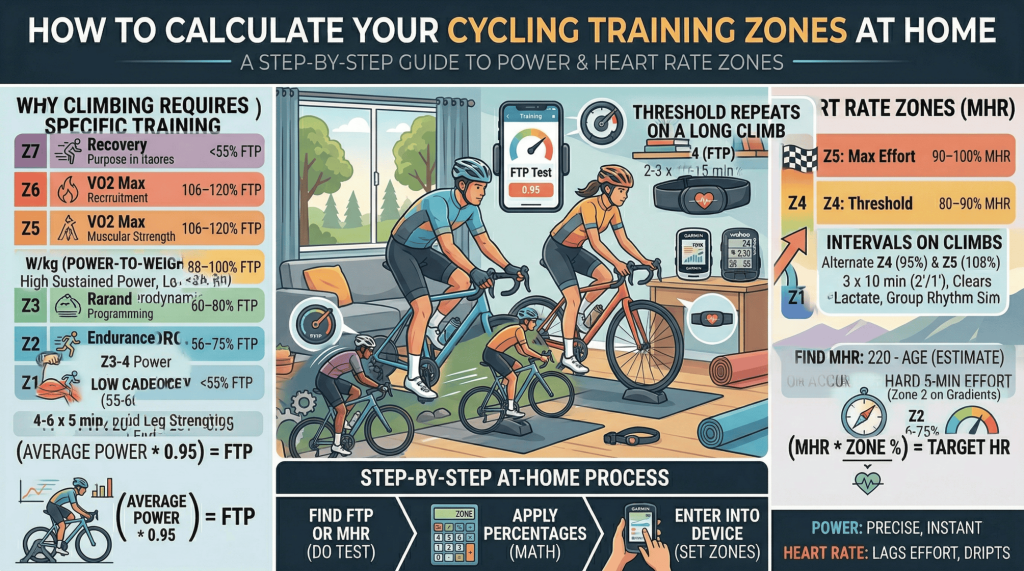
Why Training Zones Matter
Cycling training zones divide your effort levels into distinct physiological ranges, each targeting different energy systems and producing different adaptations. Training in the right zone at the right time is what separates structured, progressive fitness improvement from aimless riding.
The good news: you can calculate your zones at home with nothing more than a power meter or heart rate monitor — and a basic understanding of the math.
The Two Main Zone Systems
Power-Based Zones (Andy Coggan 7-Zone Model)
This is the industry standard used by most coaching software and smart training platforms. It requires knowing your FTP (Functional Threshold Power).
| Zone | Name | % of FTP | Purpose |
|---|---|---|---|
| Z1 | Active Recovery | < 55% | Recovery, blood flow |
| Z2 | Endurance | 56–75% | Aerobic base building |
| Z3 | Tempo | 76–87% | Aerobic efficiency |
| Z4 | Threshold | 88–100% | FTP improvement (sweet spot at 88–93%) |
| Z5 | VO2 Max | 106–120% | Aerobic ceiling, max cardiac output |
| Z6 | Anaerobic | 121–150% | Short intense efforts, lactate tolerance |
| Z7 | Neuromuscular | > 150% | Sprint power, explosive efforts |
Heart Rate Zones (5-Zone Model)
If you don’t have a power meter, heart rate zones are the next best option. They require knowing your maximum heart rate (MHR).
| Zone | Name | % of MHR |
|---|---|---|
| Z1 | Recovery | 50–60% |
| Z2 | Aerobic Base | 60–70% |
| Z3 | Tempo | 70–80% |
| Z4 | Threshold | 80–90% |
| Z5 | Max Effort | 90–100% |
Step-by-Step: How to Calculate Your Zones at Home
Step 1 — Find Your FTP or Max Heart Rate
For power zones: Do a 20-minute all-out effort on your bike or smart trainer. Take 95% of your average power. That is your FTP. Example: 260W average × 0.95 = 247W FTP.
For heart rate zones: Use the formula 220 minus your age as a rough estimate (e.g., age 35 = 185 MHR). For more accuracy, do a hard 5-minute effort at the end of a long ride and note your peak heart rate.
Step 2 — Apply the Zone Percentages
Multiply your FTP or MHR by the zone percentages in the tables above. For a 247W FTP:
- Zone 2: 247 × 0.56 = 138W to 247 × 0.75 = 185W
- Zone 4 (Sweet Spot): 247 × 0.88 = 217W to 247 × 0.93 = 230W
- Zone 5: 247 × 1.06 = 262W to 247 × 1.20 = 296W
Step 3 — Enter Zones Into Your Device or App
Most cycling computers (Garmin, Wahoo, Hammerhead) allow you to manually enter custom power and heart rate zones in their settings. Alternatively, platforms like Personal Best Pace calculate and apply your zones automatically once your FTP is set.
Tips for Accurate Zone Training at Home
Always warm up for at least 10–15 minutes before any FTP test or high-intensity effort. Fatigue significantly skews test results. Test in a consistent environment (same time of day, similar nutrition) to ensure repeatability. Re-test your FTP every 6–8 weeks to keep zones current as your fitness changes.
Which Zone System Should You Use?
Use power zones if you have a power meter — they are more precise and respond instantly to changes in effort. Use heart rate zones if you don’t have a power meter, but be aware that heart rate lags effort by 30–60 seconds and is affected by heat, caffeine, and fatigue. For most serious cyclists, power zones are the standard.
Frequently Asked Questions
Do I need a smart trainer to calculate training zones?
No. Any ride with a power meter — indoors or outdoors — can be used to test FTP and calculate zones.
How do I know if I’m in the right zone during a ride?
Your head unit or cycling app should display your real-time zone based on power or heart rate. Set up zone alerts on your Garmin or Wahoo to warn you when you drift out of target range.
Are heart rate zones and power zones interchangeable?
Not exactly. They measure different things — power is your output, heart rate is your physiological response. During long rides, heart rate drifts up even at constant power (cardiac drift), making power zones more reliable for pacing.